Trust Status — Salesforce Commerce Cloud
Learn how to track and manage your Salesforce Commerce Cloud (SFCC) PODs using the Trust Status page. This guide covers finding POD IDs, monitoring instance status, and navigating recent platform changes for smooth B2C Commerce Cloud operations.
A POD (Point of Delivery) is a cluster of servers, networking equipment, and storage resources designed to host SaaS applications. Multiple companies can have their own tenants within a single POD, ensuring data separation while sharing hardware resources.
How to Find POD ID of SFCC Instance
While there are multiple instances like Development, Staging, Production, and Sandbox, it is crucial to keep an eye on the instance status and downtime as well during the development phase and importantly during the go-live process.
There are some scenarios that you might face during the project life cycle:
- Scheduled maintenance of the production instance might block the release activity on that day for long hours.
- Sometimes, you would not be able to log in to the instance as there is Account Manager maintenance going on for that instance.
To keep track of this crucial information, you need to use the Trust Status page provided by Salesforce for B2C Commerce Cloud. It contains the list of all regions and POD instances. By selecting the POD ID, you can track your instance’s status.
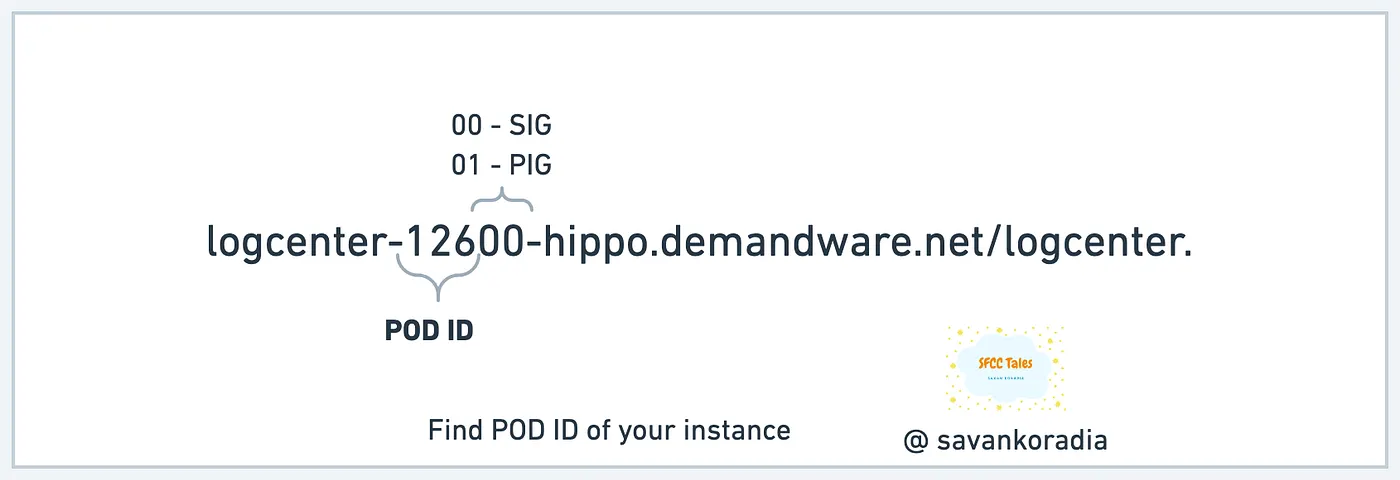
It is easier to find the POD ID of your instance via the log center URL, as the URL contains the POD ID and Cylinder value.
In the image above, you would notice that the first 3 digits are POD ID and the last two digits are cylinder values. The POD value remains the same for SIG and PIG you are using, but the Cylinder value is different:
- SIG — 00
- PIG — 01
Search for the POD ID you have found from the log center URL, and it will take you to the status page for that POD. Example: https://status.salesforce.com/instances/POD126 where you can find more details by service, history, and maintenance.
Recent Changes
Due to recent platform changes, the logcenter URL is no longer used to retrieve POD numbers. A new method is available for identifying the POD of your instance.
Accessing POD via Custom Maintenance Page
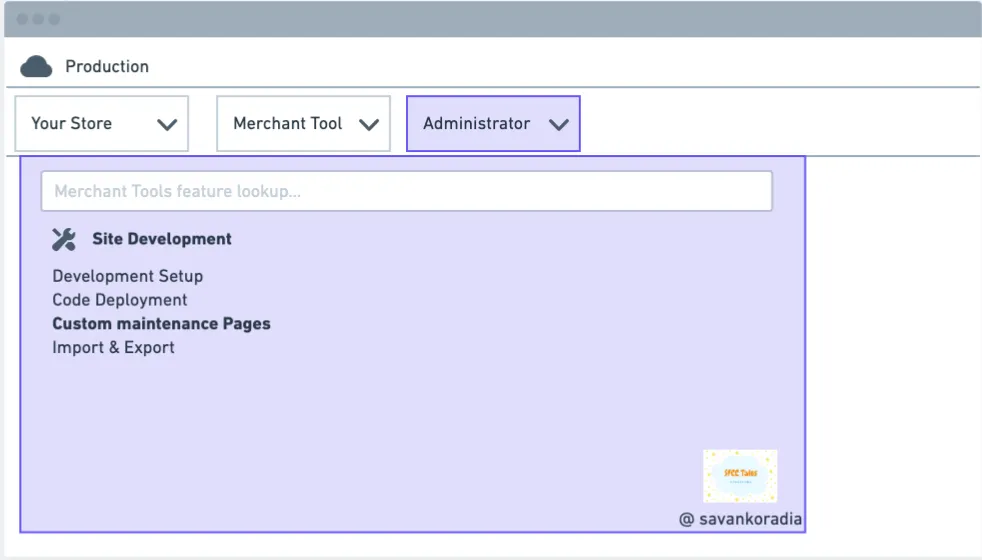
To access the new link for finding your POD ID, follow these steps:
- Navigate to Administration > Site Development > Custom Maintenance Pages.
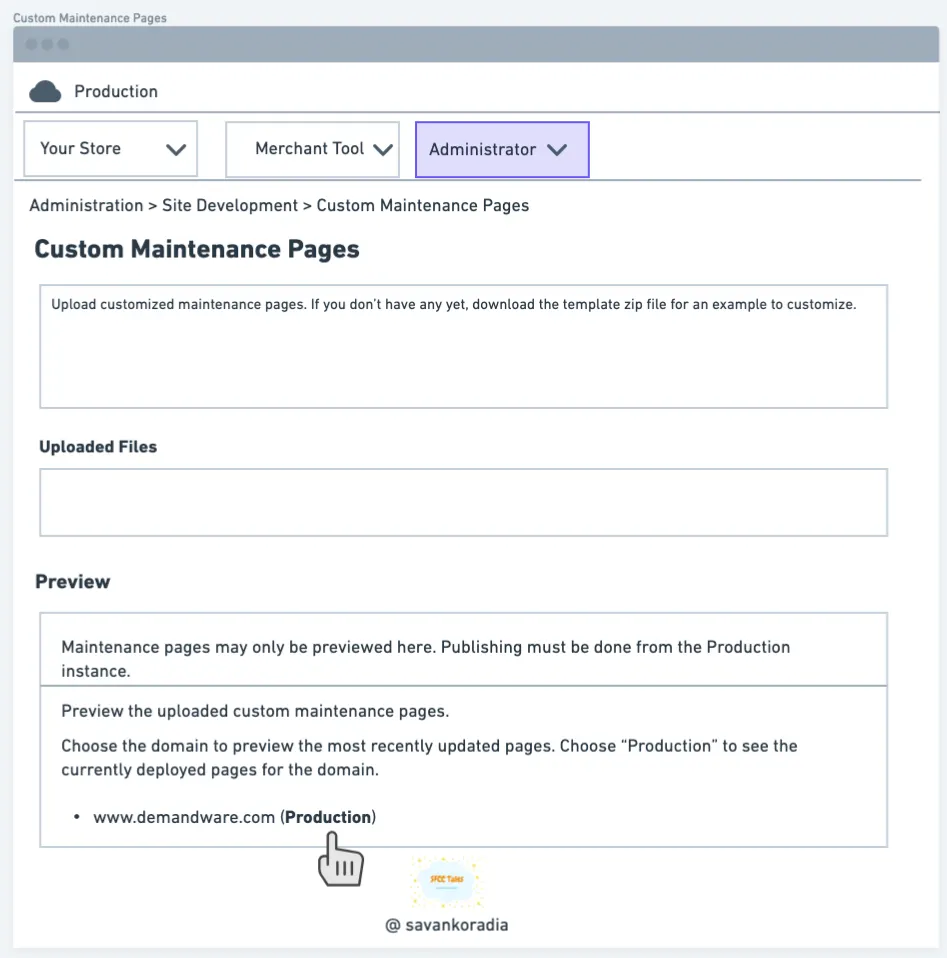
- Locate the Preview section. If no maintenance page is currently uploaded, please upload one.
- Find the (Production) link as shown in the image below.
- Hovering over the link will display the POD of your current instance.
Important Links
Savan Koradia
Architect & FounderCEO & Founder of AakarDev Softwares • Salesforce B2C Commerce Architect
Hands-on engineer sharing practical, experience-driven insights on Salesforce Commerce Cloud architecture, technical debt, cartridge health, and platform decisions from real production work.
Related Articles
Did You Know? Pushing URL Rules
Pushing URL Rule settings from Staging to Production requires selecting BOTH the Catalogs and Libraries data replication groups.
Did You Know? Explicit pageURL Override
If a merchandiser fills in the explicit pageURL attribute, it completely overrides your configured URL syntax rules.
Did You Know? Wildcard Sitemap Restrictions
The wildcard pattern sitemap*xml is strictly reserved for Salesforce B2C Commerce's internal automated sitemap generator.